Knowledge base Renewals Hub FAQs
By Insight Editor / 6 Dec 2025 / Topics: Featured
Welcome to the Renewals Hub, your one-stop platform for managing software and warranty renewals with ease. Designed to give you control and convenience, the Hub lets you view upcoming renewals, request quotes, and convert them—all in a streamlined, web-based experience. Stay ahead of deadlines, save time, and manage renewals confidently, whenever and wherever you need.
What is the Renewals Hub?
The Renewals Hub is Insight’s modern, easy-to-use platform designed to simplify your software and warranty renewals. It gives you full control to view upcoming renewals, request quotes, and convert them, all in one place. With a streamlined, web-based experience, you can manage renewals quickly and confidently.
Who can use the Renewals Hub?
The Renewals Hub is available to Insight clients. If you have access, you’ll receive a notification and can start using the platform immediately.
What can I do in the Renewals Hub?
The Hub offers powerful self-service tools to help you stay ahead of renewals:
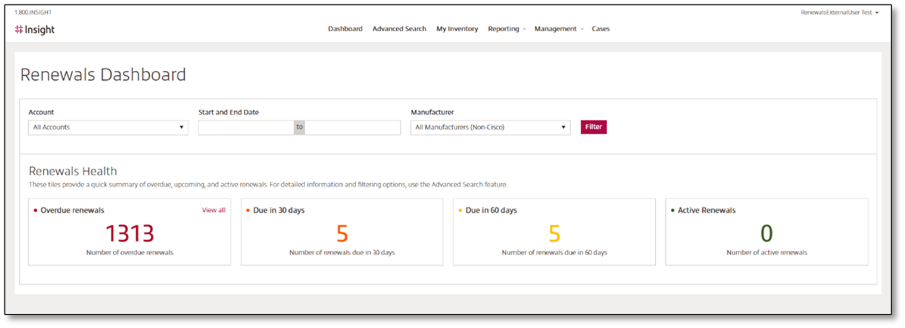
- Dashboard View: Get a clear, visual overview of all your upcoming renewals in one place. The dashboard helps you prioritize actions and stay organized.
- Request Quotes: Easily request renewal quotes for your products.
- View and Convert Quotes: Access your quotes and convert them when ready.
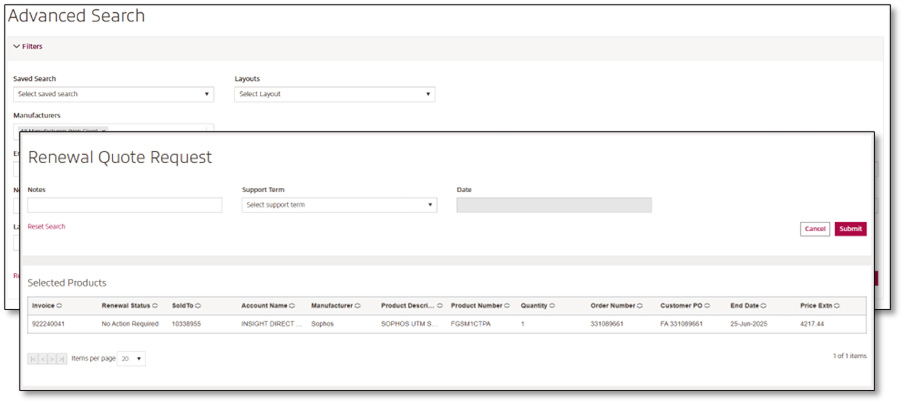
- Advanced Search: Quickly find the renewals you need with intuitive search options.
Why should I use the Renewals Hub?
- Save Time: Manage renewals without waiting for manual processes.
- Stay Ahead: Get reminders before renewals expire.
- Take Control: Request and convert quotes at your convenience.
What if I need help?
If you experience any issues, our support team is here to assist you. You can also access helpful guides and training resources within the Hub to make the process even easier.
Are training resources available?
We offer comprehensive step-by-step guides and training materials to help you maximize the benefits of the Renewals Hub. For detailed instructions and best practices, explore our user guide here.
How can I share my feedback?
Your feedback is important to us! Share your thoughts and suggestions by emailing us at ecommerce@insight.com. Your input helps us enhance the Renewals Hub and deliver the best possible experience for you.
How do I access the Renewals Hub?
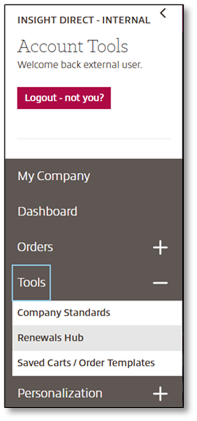
1. Log in to Insight.com
Sign in to your account and go to Account Tools > Renewals Hub
2. Search for Renewals
Use the dashboard and advanced search to find the items you want to renew
3. Request a Quote
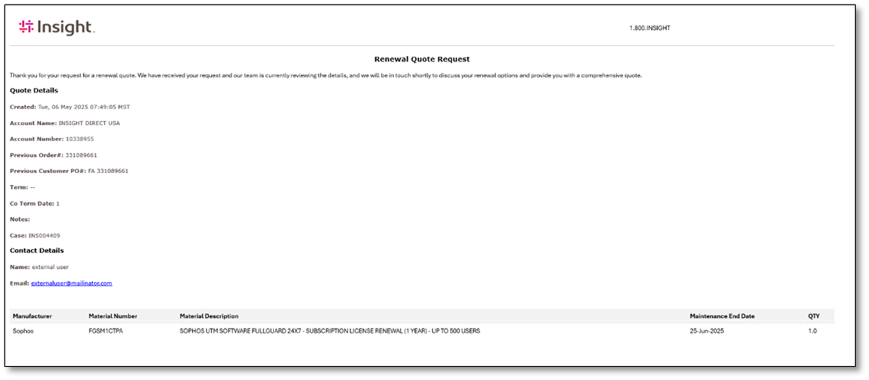
Select the items and submit your quote request. You’ll receive a case number for tracking.
4. Convert Your Quote
When ready, convert your quote directly in the Hub.