Knowledge base How to view and use the top 10 manufacturers dashboard
By Insight Editor / 18 Dec 2020
Report on the performance of your technology investments and compare how they align to your overall business goals. View spend by each manufacturer based on hardware, software and services and narrow down those results to more granular product types. Select any desired date range, compare it to a previous period and export data easily in various formats.
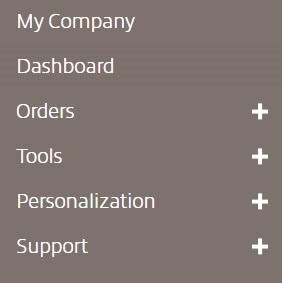
Step 1: Access your dashboards
After logging in to your myInsight account, within the secondary navigation menu, select Dashboard.
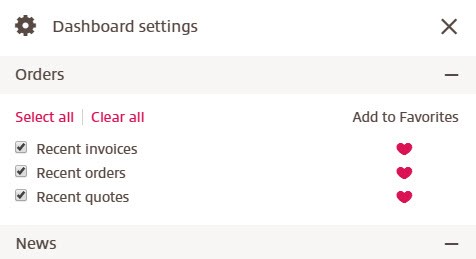
Step 2: Ensure dashboard settings are enabled for the top 10 manufacturers widget
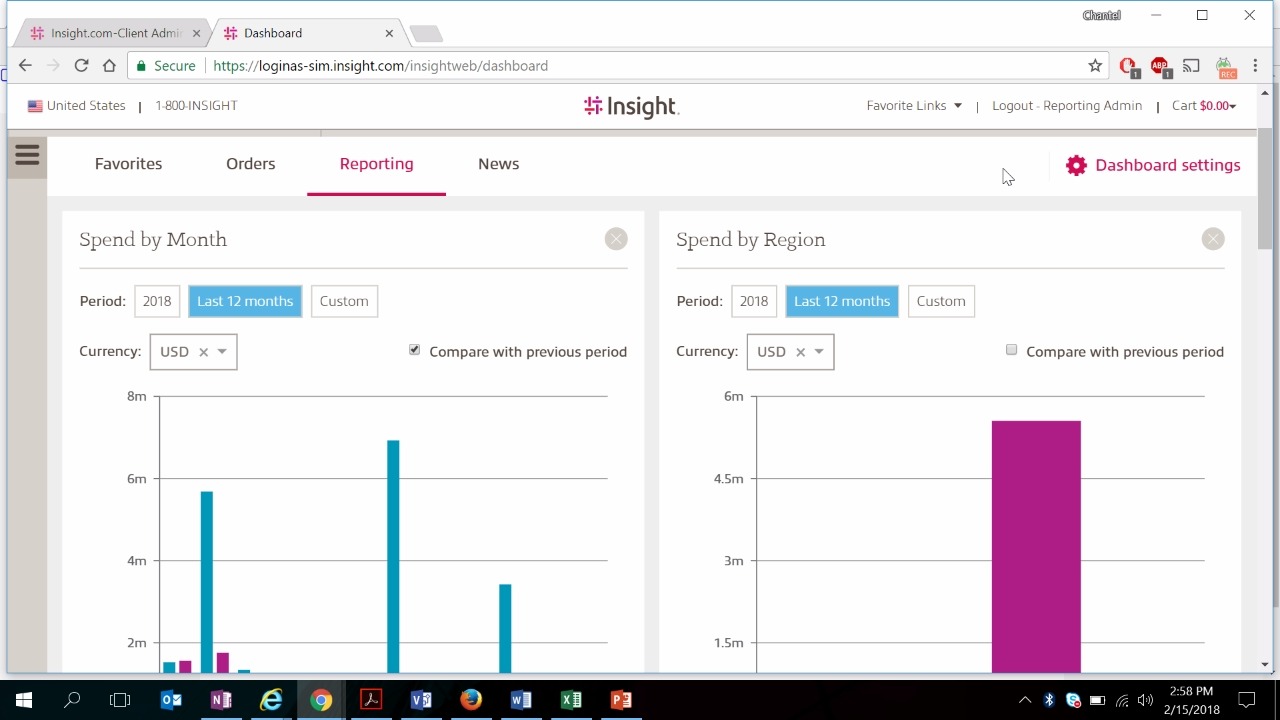
To view the spend dashboard, ensure you have the top 10 manufacturers checkbox selected in your dashboard settings. Access your settings by selecting the gear icon to open the settings menu.
Using the top 10 manufacturers dashboard
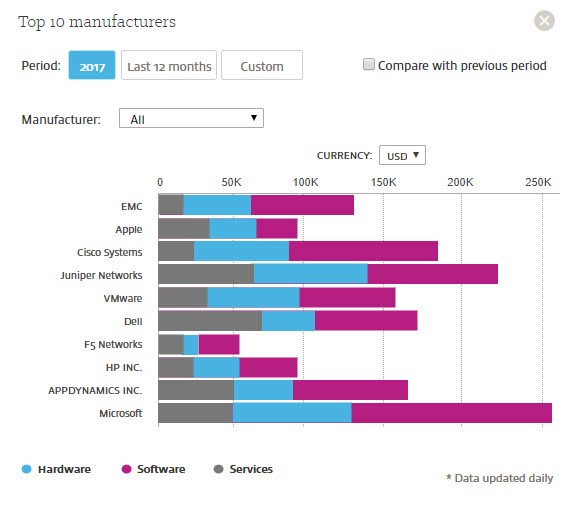
This drag-and-drop widget can be placed anywhere on your dashboard. The dashboard will initially populate data from the current year. Data is updated daily. Each bar on the graph will show the spend breakdown by manufacturer based on your spend for hardware, software and services related to that manufacturer.
Filtering and comparing results in the dashboard
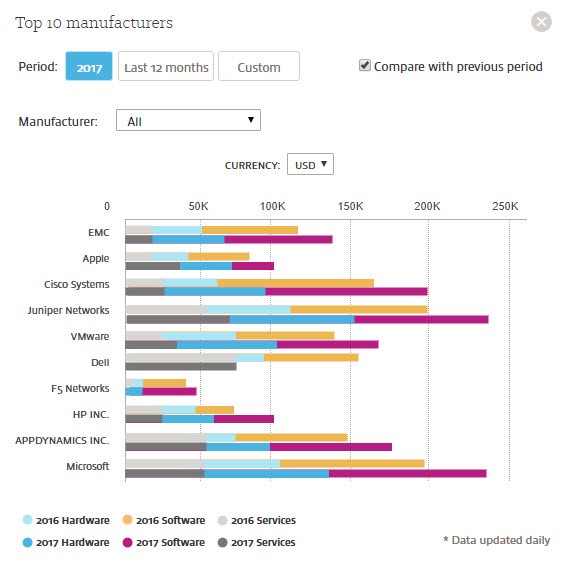
Select last 12 months or custom action buttons to change the dates of the report. The compare with previous period checkbox will provide you with an additional bar graph of either month-over-month (MoM) or year-over-year (YoY) results depending on the date range selected.
Narrowing down spend by manufacturer to product type
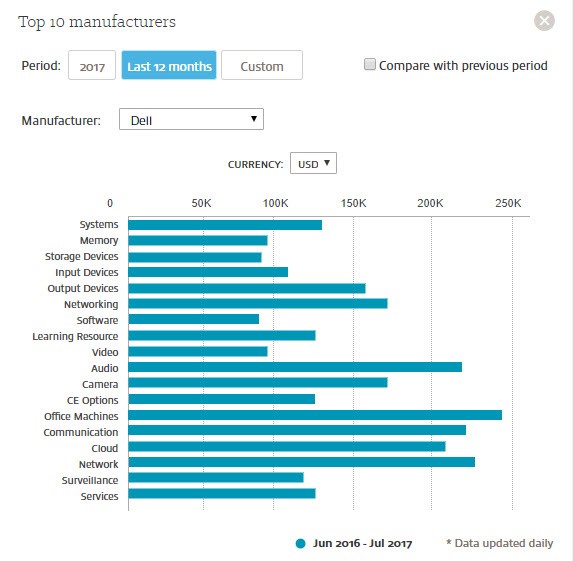
Selecting the bar graph of a specific manufacturer will narrow down spend data into a breakdown by product type. Hovering your mouse over a bar graph will display spend details in the selected currency. Use the currency drop-down menu to change your currency view. Change the manufacturer by using the drop-down menu to view data for a different manufacturer.
Reporting Dashboard
Need more information?
Connect with our team of specialists to learn more about the products, services and tools we offer.