Infographic text included for screen readers:
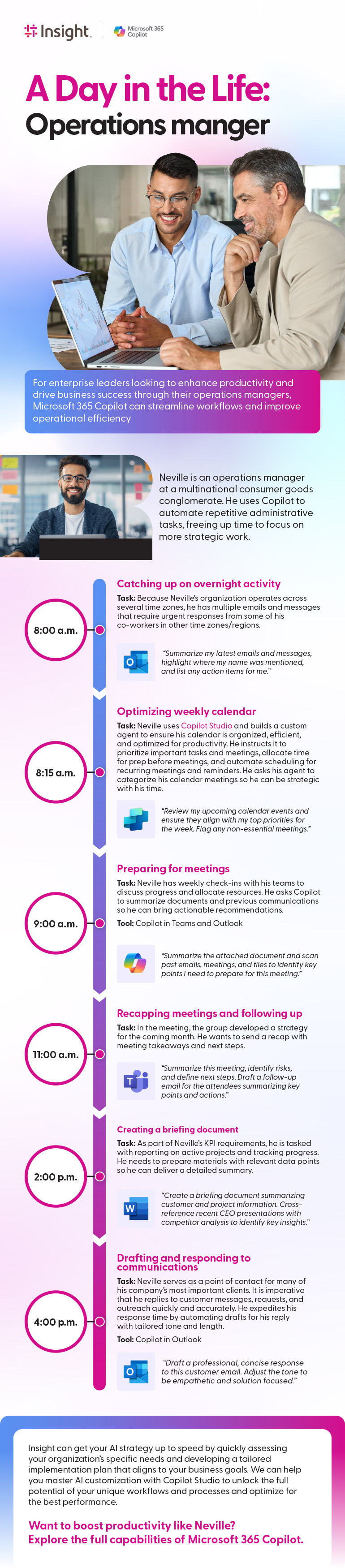
For enterprise leaders looking to enhance productivity and drive business success through their operations managers, Microsoft 365 Copilot can streamline workflows and improve operational efficiency
Neville is an operations manager at a multinational consumer goods conglomerate. He uses Copilot to automate repetitive administrative tasks, freeing up time to focus on more strategic work.
Catching up on overnight activity
8:00 a.m. task: Because Neville’s organization operates across several time zones, he has multiple emails and messages that require urgent responses from some of his co-workers in other time zones/regions.
Microsoft Outlook: “Summarize my latest emails and messages, highlight where my name was mentioned, and list any action items for me.”
Optimizing weekly calendar
8:15 a.m. task: Neville uses Copilot Studio and builds a custom agent to ensure his calendar is organized, efficient, and optimized for productivity. He instructs it to prioritize important tasks and meetings, allocate time for prep before meetings, and automate scheduling for recurring meetings and reminders. He asks his agent to categorize his calendar meetings so he can be strategic with his time.
Microsoft Copilot Studio: “Review my upcoming calendar events and ensure they align with my top priorities for the week. Flag any non-essential meetings.”
Preparing for meetingss
9:00 a.m. task: Neville has weekly check-ins with his teams to discuss progress and allocate resources. He asks Copilot to summarize documents and previous communications so he can bring actionable recommendations.
Microsoft Copilot (Teams and Outlook): “Summarize the attached document and scan past emails, meetings, and files to identify key points I need to prepare for this meeting.”
Recapping meetings and following up
11:00 a.m. task: In the meeting, the group developed a strategy for the coming month. He wants to send a recap with meeting takeaways and next steps.
Microsoft Teams: “Summarize this meeting, identify risks, and define next steps. Draft a follow-up email for the attendees summarizing key points and actions.”
Creating a briefing document
2:00 p.m. task: As part of Neville’s KPI requirements, he is tasked with reporting on active projects and tracking progress. He needs to prepare materials with relevant data points so he can deliver a detailed summary.
Microsoft Word: “Create a briefing document summarizing customer and project information. Cross-reference recent CEO presentations with competitor analysis to identify key insights.”
Drafting and responding to communications
4:00 p.m. task: Neville serves as a point of contact for many of his company’s most important clients. It is imperative that he replies to customer messages, requests, and outreach quickly and accurately. He expedites his response time by automating drafts for his reply with tailored tone and length.
Microsoft Outlook: “Draft a professional, concise response to this customer email. Adjust the tone to be empathetic and solution focused.”
Insight can get your AI strategy up to speed by quickly assessing your organization’s specific needs and developing a tailored implementation plan that aligns to your business goals. We can help you master AI customization with Copilot Studio to unlock the full potential of your unique workflows and processes and optimize for the best performance.
Want to boost productivity like Neville? Explore the full capabilities of Microsoft 365 Copilot.