Blog How to Run Remote Agile Retrospectives: The Three Rs
With a few adaptations, we’ll show you how to successfully organize, prepare and run a remote Agile Retrospective from the comfort of home.
By Kris Schroeder / 25 Apr 2020 / Topics: Modern workplace , Hybrid workforce

The only constant in life is change — and what a strange curveball life has thrown us in 2020. If, like so many others, you and your teammates have found yourselves working remotely, you may be looking for ways to maintain Agile practices that would otherwise occur in person. Fortunately, while an Agile environment encourages teams to be co-located, it’s still possible to be Agile while working in a distributed manner. All it takes is a little more creativity and a little more preparation.
We’ll walk you through the research needed, the Retrospective tools available and the realities of running an Agile Retrospective with a remote team.
Research: Choose your collaboration platform.
Holding an Agile Retrospective with a distributed team requires some additional time and preparation — especially when you consider the technology that needs to be in place.
With a co-located team, you would typically find an Agile Retrospective idea, draw on a giant flip chart and hand out Sharpies and Post-it notes. But with a distributed team, you need a new way to connect and share. Before your first session, you’ll need to make sure your team has the technology enabled and that everyone is comfortable using it. Otherwise, the team could easily be derailed with the logistics of why a certain feature isn’t working or become frustrated if they’re unable to participate.
As always, the goal of the Retrospective is to encourage transparency about the progress that was made during the last Sprint. Whether you choose Teams, Skype, Zoom or any other video conferencing platforms, there are many digital tools available that your team can use to voice their thoughts during a Retrospective.
But you’ll also need to consider the tools you’ll use to conduct the actual Retrospective itself.
Agile Retrospective tools: From Post-it notes to digital votes
So, you’ve got the video conferencing, the websites … but what should you actually do in a remote Retrospective? Much of that depends on the format you choose. Fortunately, there are some great online tools tailored for Retrospectives, such as IdeaBoardz, Miro or GroupMap, just to name a few — there are so many more out there!
You can also find inspiration for Retrospective activities on websites such as:
Though many of these idea-based sites focus on Retrospectives being conducted with co-located teams, you can still take these ideas and make them work remotely. When you really think about it, the Retrospective itself comes down to three things:
- A broad concept (sometimes illustrated) of questions you want to ask
- The ability for team members to provide comments and feedback on those questions
- Action items for the team to consider during the upcoming Sprint
With a little out-of-the-box thinking, all of these are achievable even in a remote setting. If an Agile Retrospective requires you to show an image of a mailbox, a shark, a hot air balloon or a set of emojis, why not spend some time searching for these images online? There’s plenty of free clip art available, and you can easily incorporate these images into your video conferencing platform, then switch over to the Retrospective website for team members to type their Post-it notes.
When it comes to voting on Post-it notes, it’s important to find a Retrospective tool that provides your team with the ability to rank and prioritize comments that are the most valuable. If the website you’re using doesn’t provide a specific voting feature, you can always get creative. See if you can use the drawing tools that may be available to place hash marks on Post-it notes, simulating the “dot-voting” that you might do in person with stickers.
Regardless of how you prioritize the feedback provided, these approaches will hopefully help to yield a few action items from the Retrospective that you can incorporate into the next Sprint.
Reality: An inside look at the remote Agile Retrospective
As the Scrum Master for a remote team, I’ve dealt with each of these challenges firsthand.
When I was first browsing the free tools available to assist with remote Retrospectives, I noticed that many of them lock you into the three-question format. I was looking for more flexibility to allow for creative ways to elicit feedback about the Sprint.
The first tool I tried was IdeaBoardz. I’ve run several Retrospectives using IdeaBoardz and what I like about it is the ease of use. I simply paste a link to the board into the chat feature on my video conferencing app. I don’t need to invite the team to use the tool prior to the Scrum event, and the team doesn’t have to register in order to use the tool. I consider this a valuable advantage, since we all know the Development Team doesn’t like to be interrupted.
In this example, the format for the Retrospective was writing postcards to a former teammate about the previous Sprint. I’m not sure who originated this idea as it’s been shared on many websites and forums. To facilitate it remotely with the team, I prepared a drawing ahead of the meeting, much like you would a flip chart for a co-located team.

I shared the image via video conference. After discussing the format of the Retro, I then shared the link to board I had created in IdeaBoardz prior to the event. I had everyone test creating a sticky note. Once everyone was comfortable, they submitted their postcards.
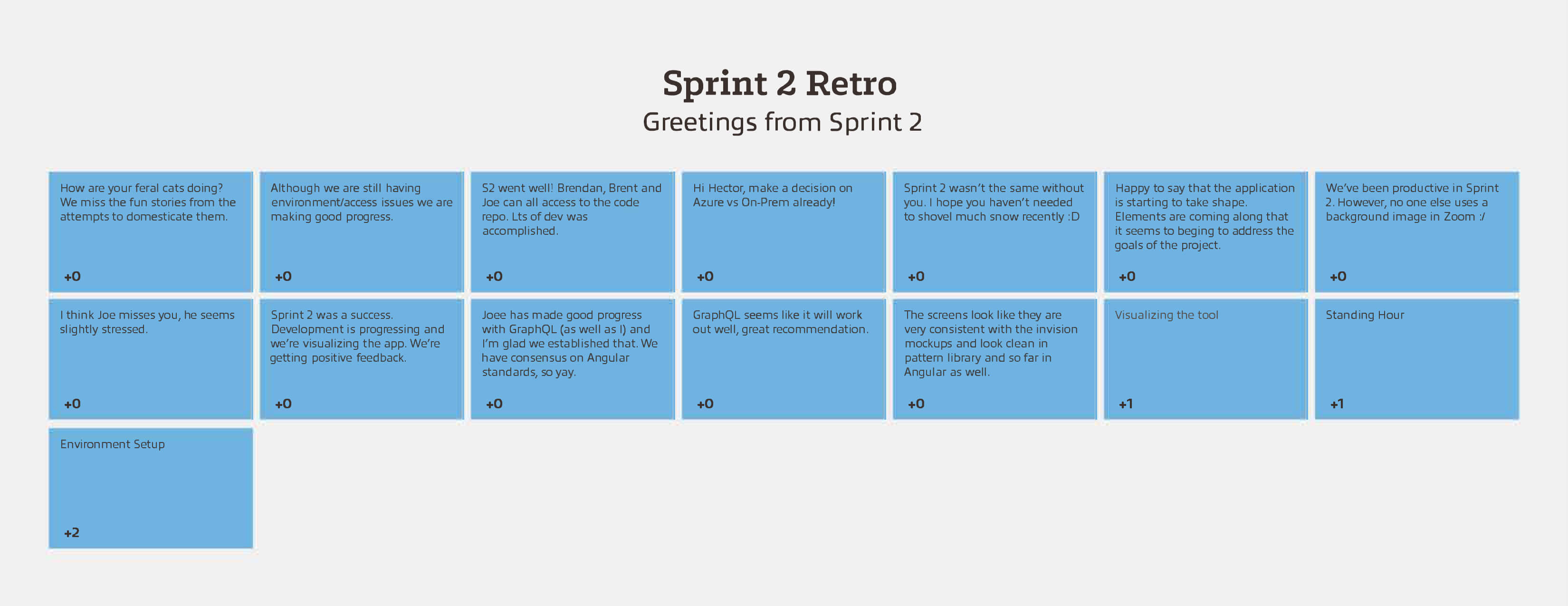
After the team had time to contribute, we discussed themes and actions. I created sticky notes for the actionable items the team had identified. Unfortunately, I discovered there was no way to change the color of the sticky notes and the actionable items didn’t stand out. I should have chosen to create two sections on the board, one for initial brainstorming and one for actionable items. Alternatively, I could have captured the actions in OneNote and alternated between sharing apps.
While IdeaBoardz worked great and was simple to use, I decided to try another tool with more features. The tool I chose was Miro. What I like about Miro is the enhanced functionality like image upload and different color sticky notes. Uploading an image is more representative of a co-located meeting where participants can place stickies on top of a flip chart or a drawing on a white board. In the example, the team placed a sticky on the emoji that best represented how they were feeling after the Sprint.
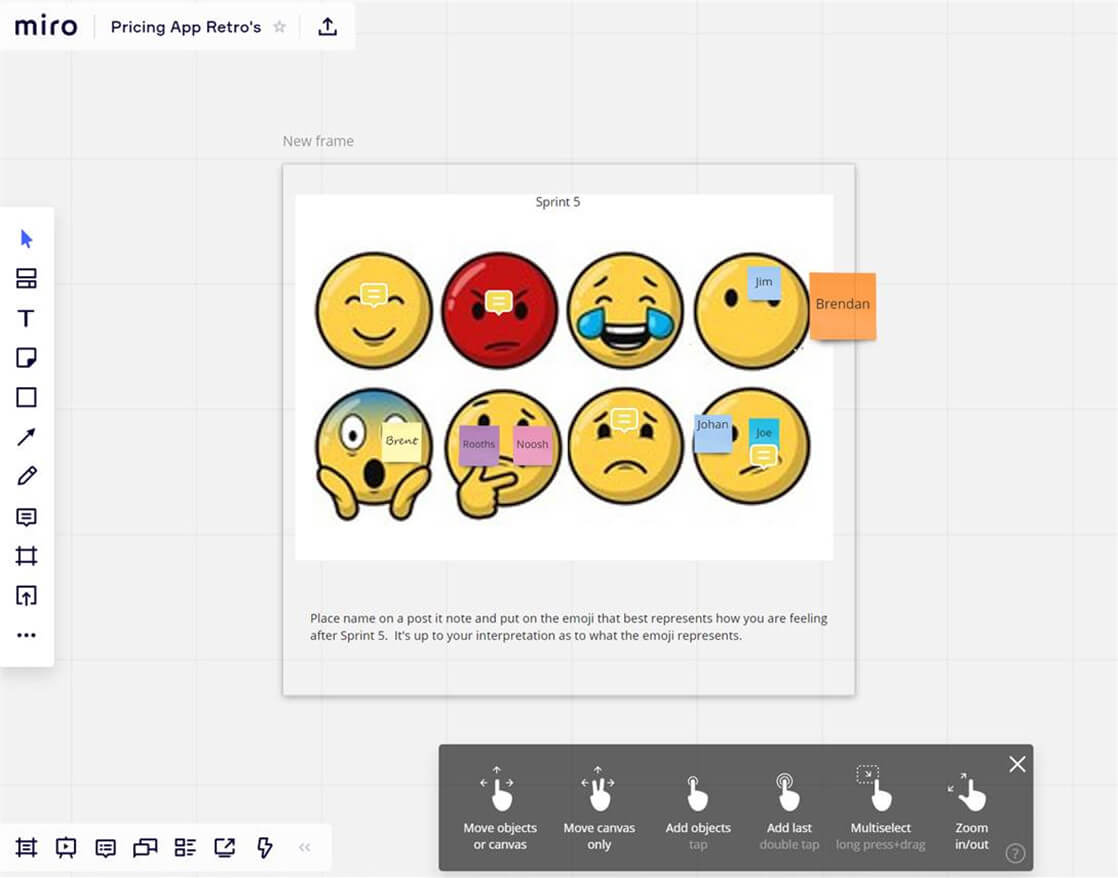
The downside to using Miro was that I had to invite the team to register for Miro prior to the event. Some team members struggled to create and resize their sticky notes and were accidentally moving the background image as the tool was not as intuitive to use. On reflection, I should have demonstrated creating a sticky and made sure everyone was comfortable before beginning. Both tools did the job, and each had their pros and cons.
A Google search for ‘Remote Team Retrospective Tools’ will return many options for you to try.
In summary
Whether you’re co-located or remote, you need to prepare for your Retrospective in much the same way. Numerous tools are available to support your Retrospective. The key is to experiment and see what works well for your team. Remember to get feedback from the team and continue to look for ways to improve both the event and the infrastructure you use to support it.
About the Authors:

Kris Schroeder
Kris is an Agilist (PSM II, PSK I) with Insight’s Digital Innovation team in Cincinnati. She’s a well-rounded IT professional who helps teams design and deliver innovative solutions that bring value to their business. Kris uses her leadership, communication skills, IT knowhow and personal approach to effectively and quickly solve business problems.

Carla Zack
Principal Consultant, Project Services, Insight
Carla has been with Insight Digital Innovation for over seven years working as a Scrum Master, Product Owner and Business Analyst. Prior to joining Insight, she worked as a business analyst for Streamline Health and the Cerner Corporation. Carla uses her experiences to help teams adapt and learn new ways to solve problems.
 Monthly perspectives from global tech leaders.